Apple Unveils iOS 26.2 Beta with Liquid Glass Clock Customization and Reminders Alarms
Apple rolled out the first beta of iOS 26.2 last week, adding a series of visual and functional refinements to the upcoming operating system. The update follows the company’s regular summer beta schedule and is available to developers and public testers through the Apple Developer portal. Early adopters can now explore the new features ahead of the expected public release later in the year.
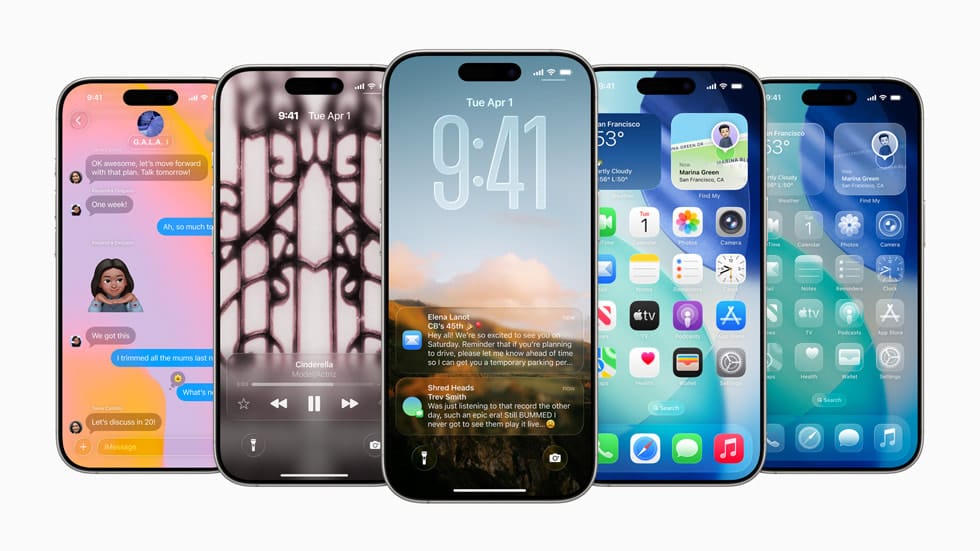
One of the most noticeable changes is the ability to customize the Liquid Glass appearance of the iPhone’s lock‑screen clock. The Liquid Glass effect, first introduced in iOS 26 as a subtle, semi‑transparent overlay, now offers users a range of color tones and opacity levels that can be adjusted directly from the Settings menu. The customization aims to give users more control over the aesthetic of their lock screen while preserving the visual depth that the effect provides.
The beta also brings the long‑requested capability to set alarms within the Reminders app, allowing users to attach a specific time trigger to any reminder. This integration streamlines daily planning by consolidating tasks and alerts in a single interface. In addition, Apple has refined widget behavior, improved battery management algorithms, and addressed a handful of security patches that were identified in earlier beta builds. These incremental updates are typical of the refinement phase that precedes a major iOS launch.
Industry analysts note that the feature set aligns with Apple’s broader strategy of enhancing personalization and productivity without overhauling the core user experience. Feedback from the developer community has been mixed, with praise for the new visual options and some calls for further customization depth. Apple is expected to iterate on the beta through several more builds before finalizing iOS 26 for public distribution, likely targeting an autumn rollout. The added functionality may influence upgrade adoption rates, as users weigh the benefits of the new lock‑screen aesthetics and integrated alarms against the stability of their current iOS version.